Retrieving
This page shows you how to retrieve licenses from your ODS Briefcase.
A second 15 Day evaluation license is automatically copied to the Briefcase, when you download our software and receive your first 15 Day key.
You may access the Briefcase by clicking on the link that appears in the email that contains the first license.
Alternatively, you may identify the ODS url by logging into the
The following instructions will allow you to access your ODS Briefcase via the
- Load the MyOpenLink ODS home page in a Web browser.
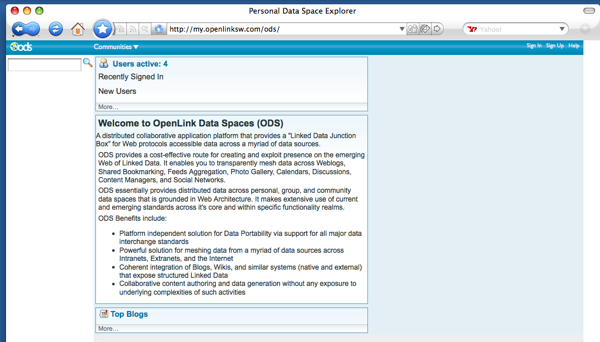
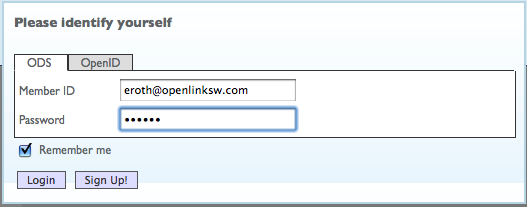
- Login to your
OpenLink Data Space using your OpenLink login.
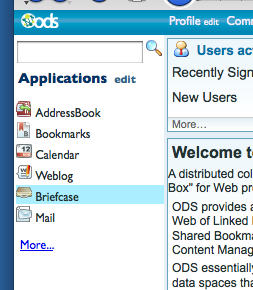
- Click the Briefcase link that appears in the ODS menu bar at the top of the page.
- Your license will appear as a Resource Item under the Briefcase Summary.
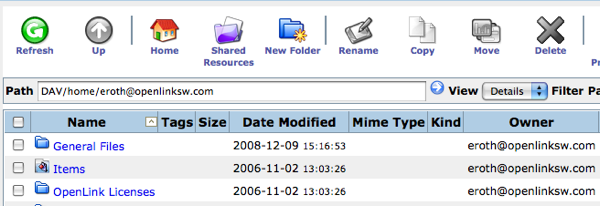
- Click the license link to download your license.
If prompted for a DAV login, use the same
OpenLink username and password you did to log in to ODS, or when downloading.
Referenced by...